
Financial Aid Portal
What is the Financial Aid Portal?
Through ONE.WFU, Wake Forest students can securely and efficiently view and manage their financial aid through the Financial Aid Portal. Depending on your financial aid record, you may use the portal to:
- authorize a parent, guardian, or other representative to speak with Student Financial Aid
- review requested documents and messages
- submit required financial aid documents
- view your financial aid eligibility
- accept, reduce, or decline student loans
Financial Aid Portal access is limited to students. Parents or other third parties may be granted access to some student account information in Workday, but they will not have access to view or use the Financial Aid Portal.
How to access the Financial Aid Portal
Step 1:
Log into ONE.WFU
Step 2:
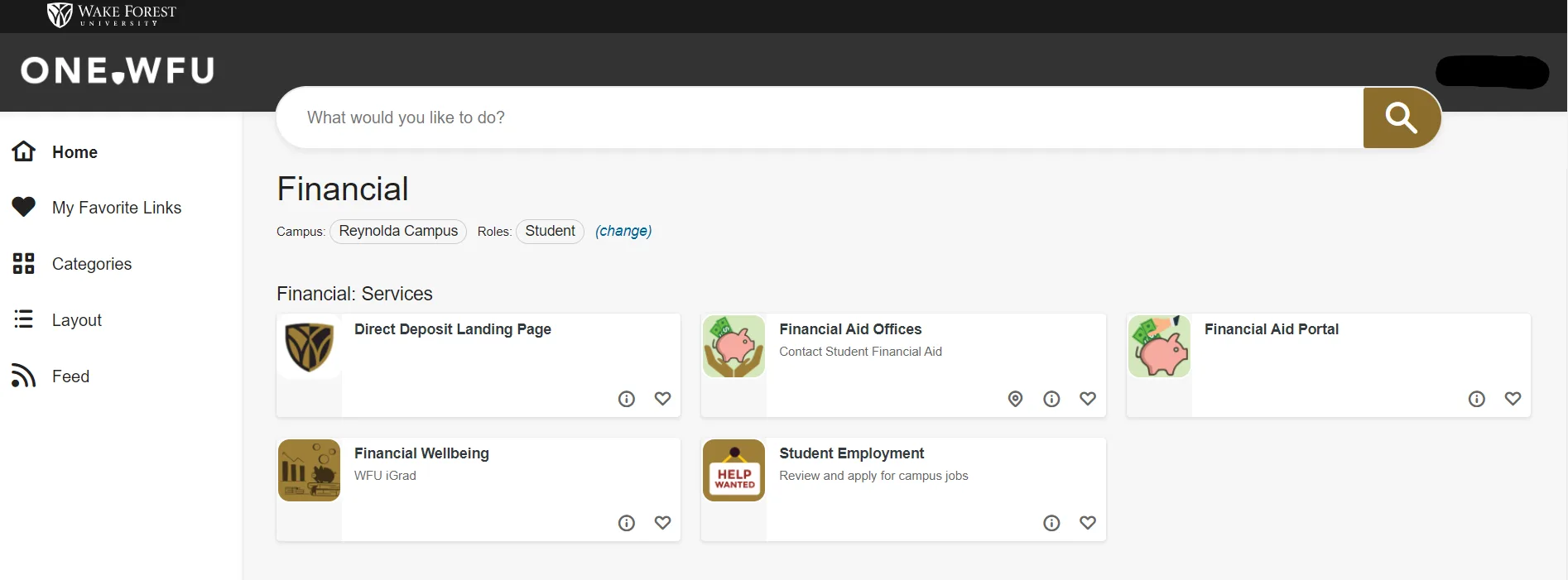
Navigate to Categories: Financial
Step 3:
Click on Financial Aid Portal. Once open, the portal will show your Welcome page.
Start on the Welcome page
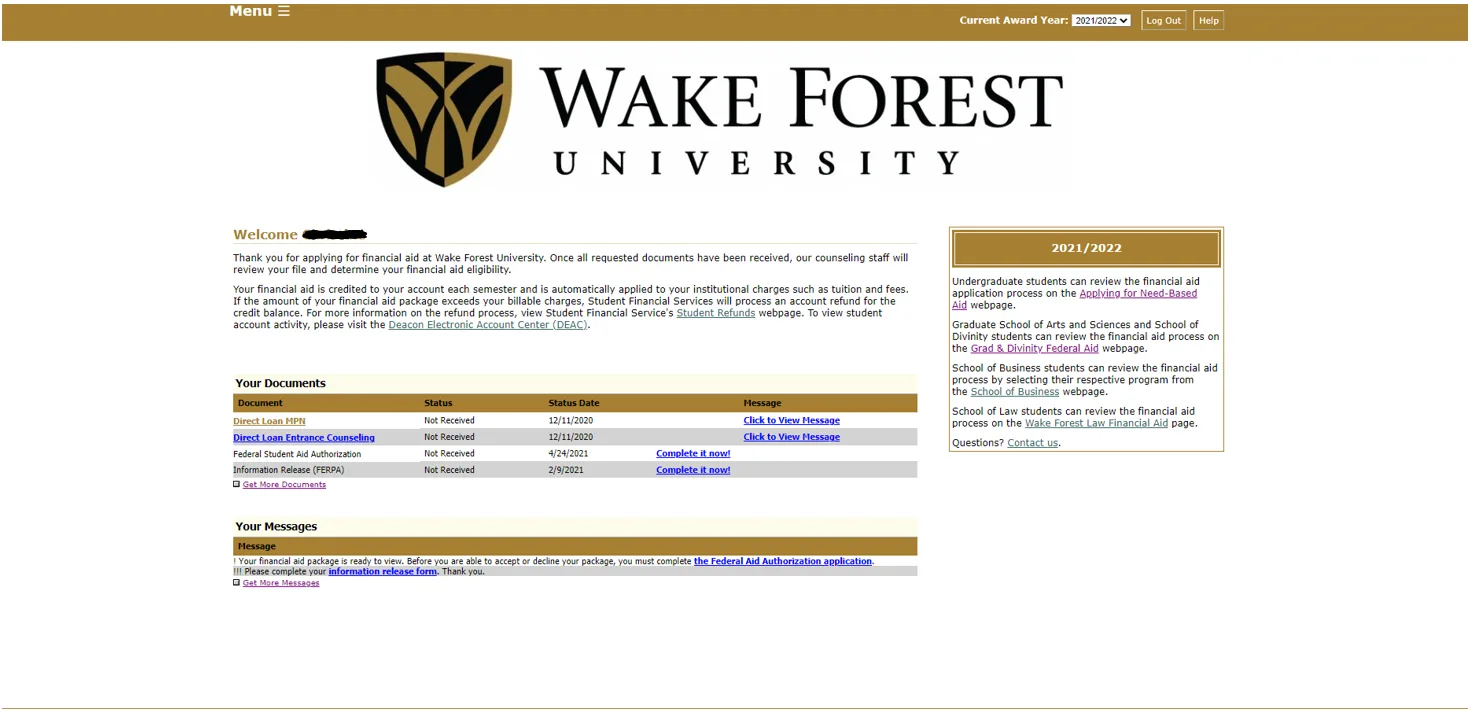
After you log in, the Financial Aid Portal will open to your Welcome page. This page provides a snapshot of your current financial aid information, including documents, messages, and general instructions.
Use the Menu in the upper left corner to move between sections of the Financial Aid Portal, including Documents and Messages, Applications, View Financial Aid, and Accept Financial Aid.
Information Release | FERPA
We recommend completing the Information Release | FERPA form if you would like Student Financial Aid to speak with a parent, guardian, or other representative about your financial aid.
This form does not provide that person with access to view or use your Financial Aid Portal.
You may see a direct link to this form in Documents and Messages. You can also find it by opening Menu in the upper left corner, selecting Applications, and choosing Information Release | FERPA.
Documents and Messages
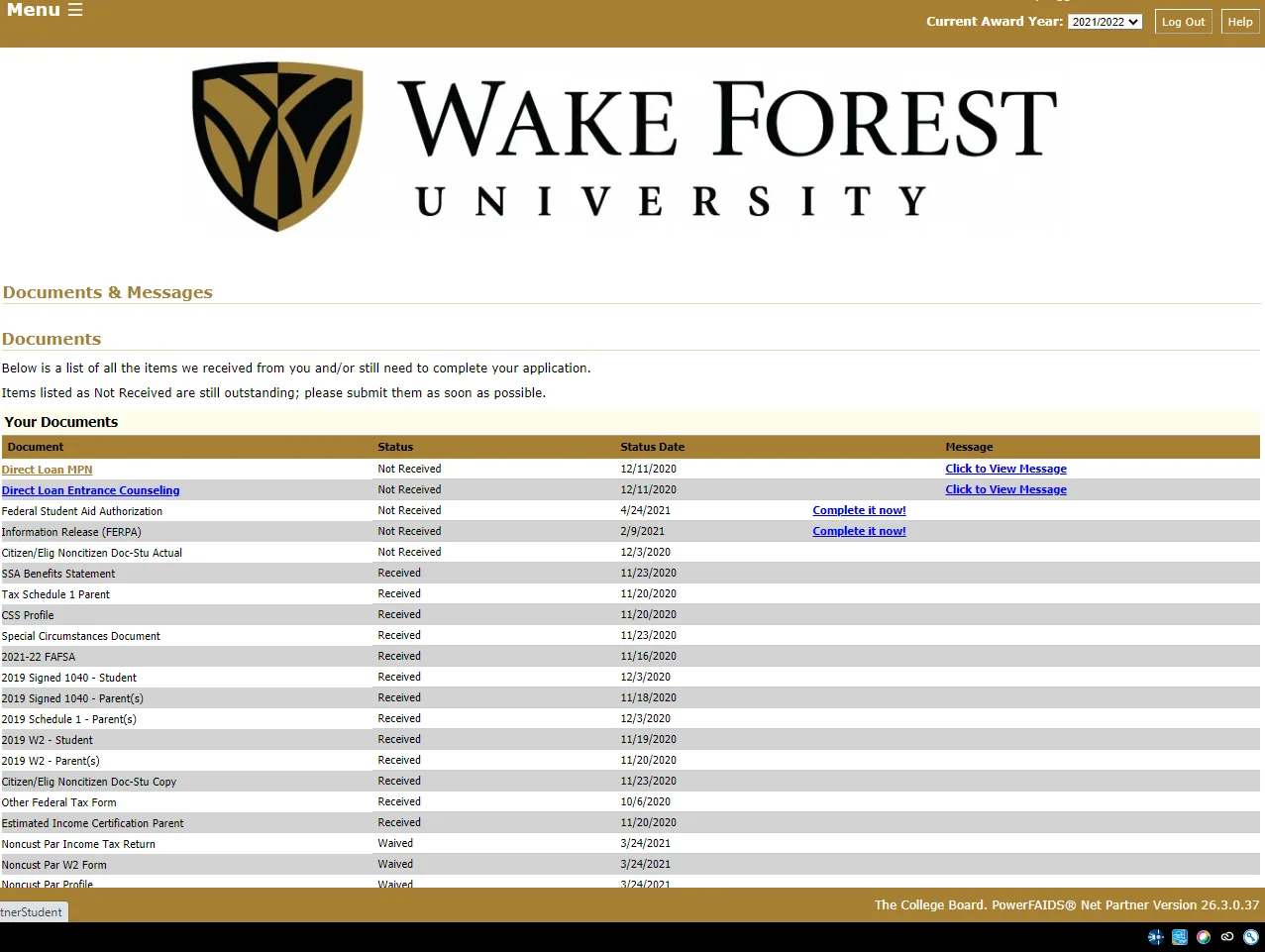
This section displays document requests, document statuses, upload links, and important messages related to your financial aid. If an item is listed as Not Received, Incomplete, or Not Signed, follow the upload link or message instructions to submit the requested information.
View Financial Aid
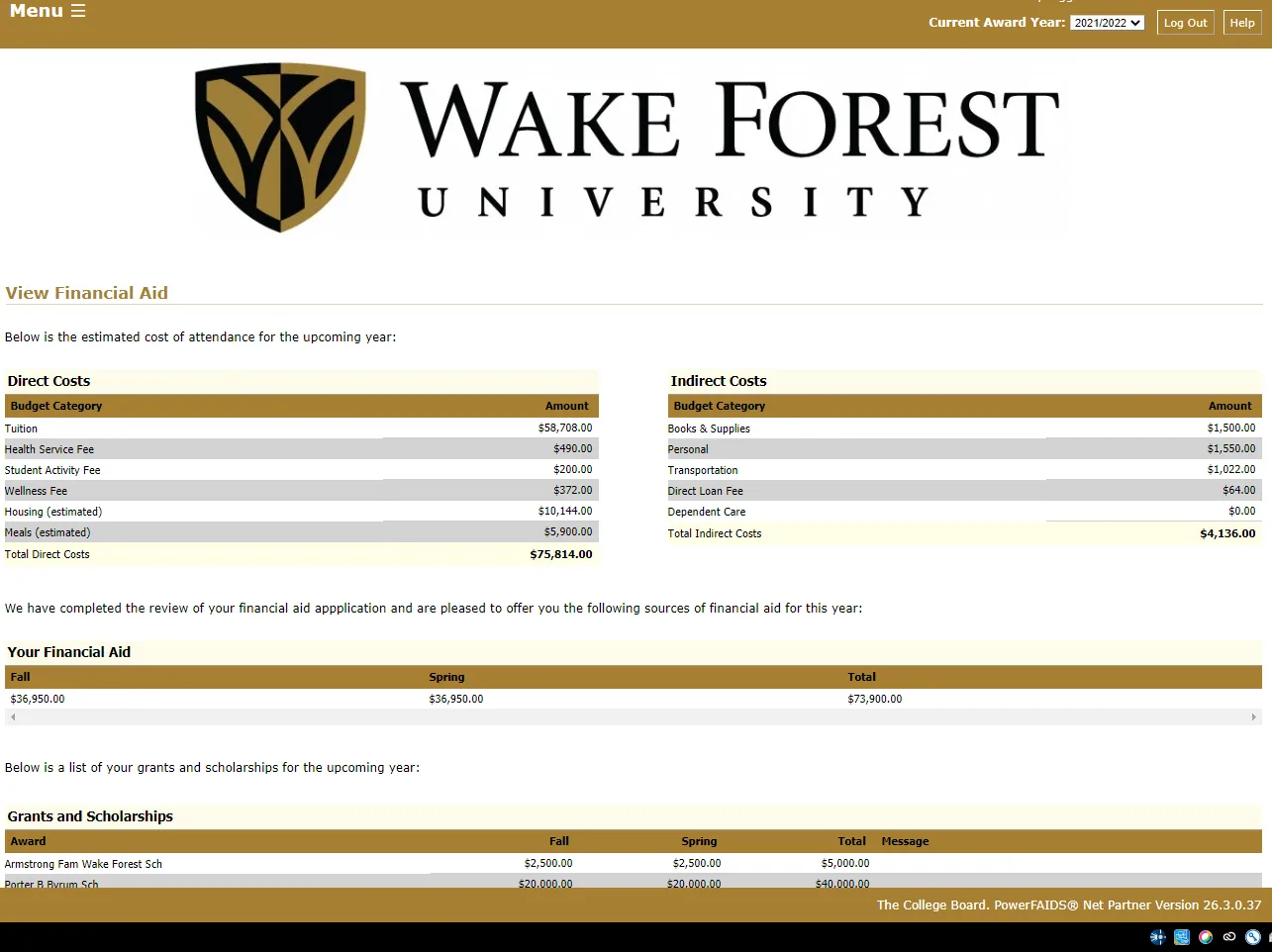
This section allows you to view your estimated cost of attendance and financial aid eligibility, including estimated direct and indirect costs, grants and scholarships, student loans, and Federal Work-Study. Actual semester charges are available through Student Financial Services Tuition and Fees.
Accept Financial Aid
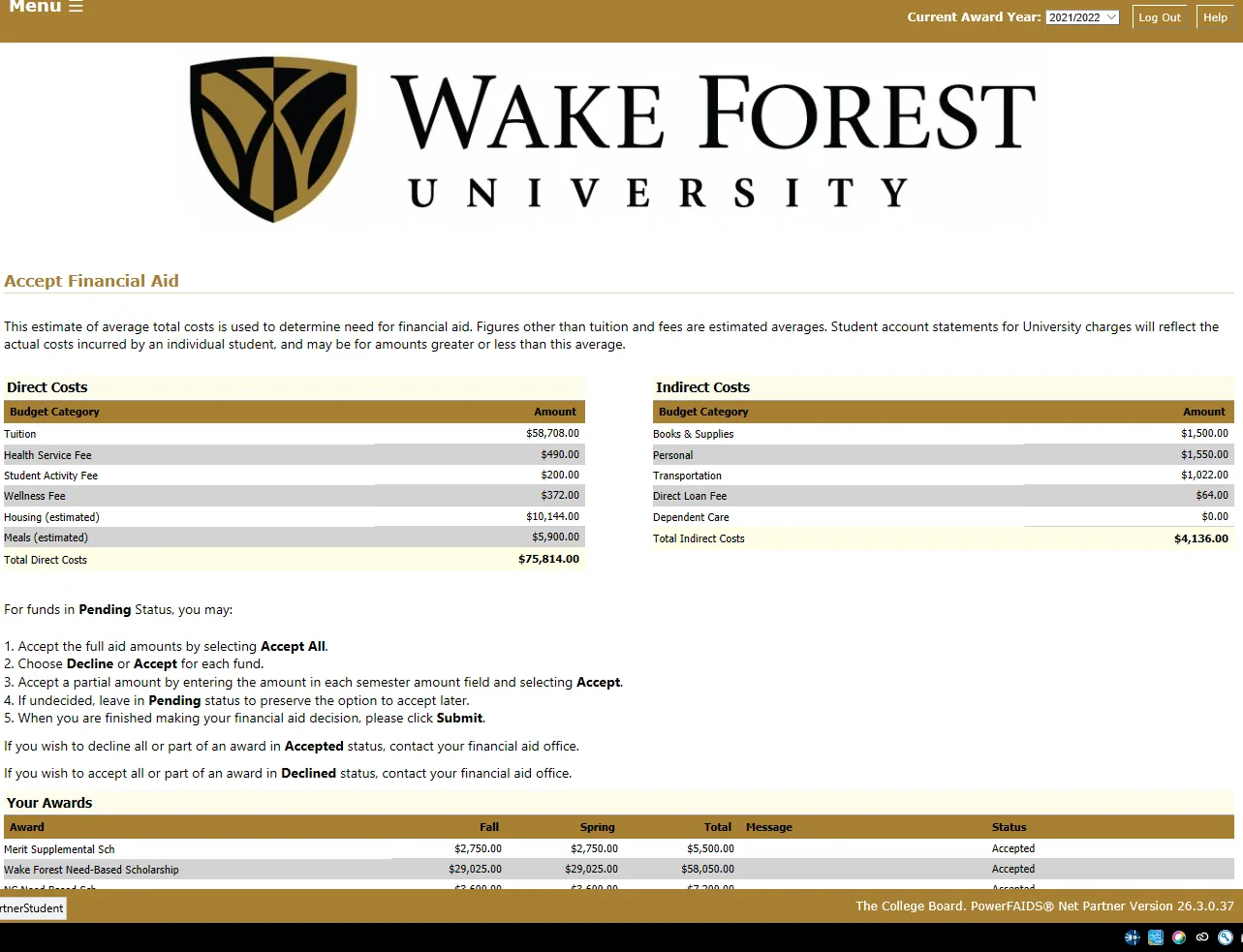
This section allows you to accept, reduce, or decline student loans included in your financial aid offer. Borrowing is optional, and you may choose the amount that is right for you. You may wish to wait until charges are available in Workday before deciding how much you want to borrow.
Grants and scholarships are automatically accepted on your behalf and do not need to be accepted in the portal. Student loans must be accepted and processed before the end of the semester if you wish to borrow them.
Need Assistance?
For assistance with your ONE.WFU account, please contact the Information Systems Help Desk at 336.758.4357.
For questions about your financial aid, please visit the Office Information page to find the contact for your school or program.
Financial Aid Resources
Discover financial wellbeing tools, learn about financial aid receipt and refunds, and explore external scholarship searches.